Siri AI Agent_ Apple Shortcuts powered voice template
Workflow JSON
{"meta": {"instanceId": "205b3bc06c96f2dc835b4f00e1cbf9a937a74eeb3b47c99d0c30b0586dbf85aa", "templateId": "2436"}, "nodes": [{"id": "b24c6e28-3c9e-4069-9e87-49b2efd47257", "name": "OpenAI Chat Model", "type": "@n8n/n8n-nodes-langchain.lmChatOpenAi", "position": [1200, 660], "parameters": {"model": "gpt-4o-mini", "options": {}}, "credentials": {"openAiApi": {"id": "", "name": "[Your openAiApi]"}}, "typeVersion": 1}, {"id": "c71a3e22-f0fd-4377-9be2-32438b282430", "name": "Sticky Note", "type": "n8n-nodes-base.stickyNote", "position": [200, 240], "parameters": {"color": 7, "width": 636.2128494576581, "height": 494.9629292914819, "content": "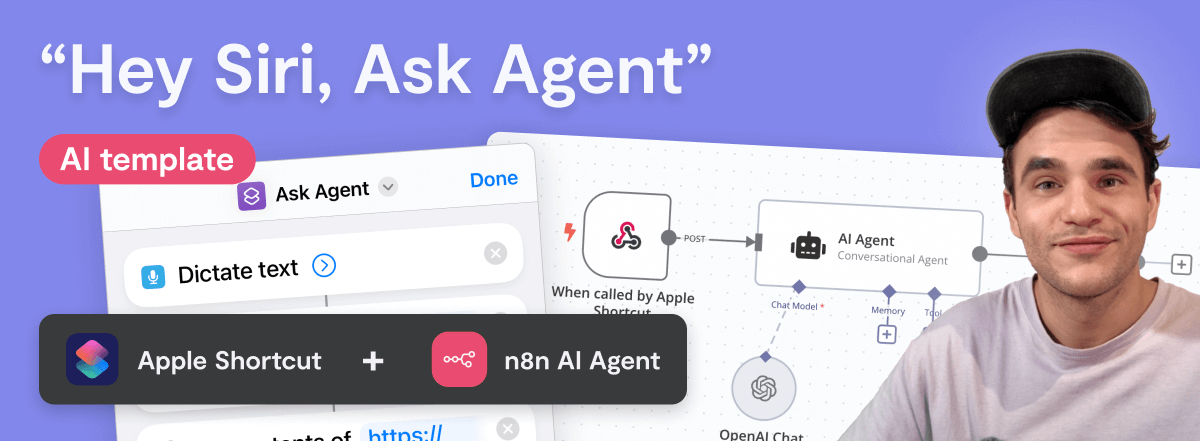\n## \"Hey Siri, Ask Agent\" workflow\n**Made by [Max Tkacz](https://www.linkedin.com/in/maxtkacz) during the [30 Day AI Sprint](https://30dayaisprint.notion.site/)**\n\nThis template integrates with Apple Shortcuts to trigger an n8n AI Agent via a \"Hey Siri\" command. The shortcut prompts for spoken input, transcribes it, and sends it to the workflow's `When Called by Apple Shortcut` Webhook trigger. The AI Agent processes the input and Siri dictates the response back to you.\n\nThe workflow also passes the current date and time to the `AI Agent`, which you can extend with additional context, like data from an App node, for more customized responses.\n\n"}, "typeVersion": 1}, {"id": "a4ec93c3-eefa-4006-b02c-f995fb7bc410", "name": "Respond to Apple Shortcut", "type": "n8n-nodes-base.respondToWebhook", "position": [1640, 460], "parameters": {"options": {}, "respondWith": "text", "responseBody": "={{ $json.output }}"}, "typeVersion": 1.1}, {"id": "942b284e-e26a-4534-8f33-eb92b0a88fdb", "name": "Sticky Note1", "type": "n8n-nodes-base.stickyNote", "position": [200, 760], "parameters": {"color": 7, "width": 280.2462120317618, "height": 438.5821431288714, "content": "### Set up steps\n1. Add an OpenAI API credential in `OpenAI Chat Model` node, or replace it with another model. Try `Groq` if you want a free alternative (can be used with free Groq account, no CC).\n2. Copy the \"Production URL\" from `When called by Apple Shortcut` node, you'll need this when setting up the shortcut.\n3. Save and activate this n8n workflow.\n4. Download the [Apple Shortcut here](https://uploads.n8n.io/devrel/ask-agent.shortcut), open it on macOS or iOS. This adds the shortcut to your device.\n5. Open the shortcut and swap URL in `Get contents of\" step to the \"Production URL\" you copied from `When called by Apple Shortcut`.\n6. Test it by saying \"Hey Siri, AI Agent\", then ask a question."}, "typeVersion": 1}, {"id": "ebb9e886-546a-429c-b4b5-35c0a7b6370e", "name": "Sticky Note2", "type": "n8n-nodes-base.stickyNote", "position": [503.6292958565226, 760], "parameters": {"color": 7, "width": 330.5152611046425, "height": 240.6839895136402, "content": "### ... or watch set up video [5 min]\n[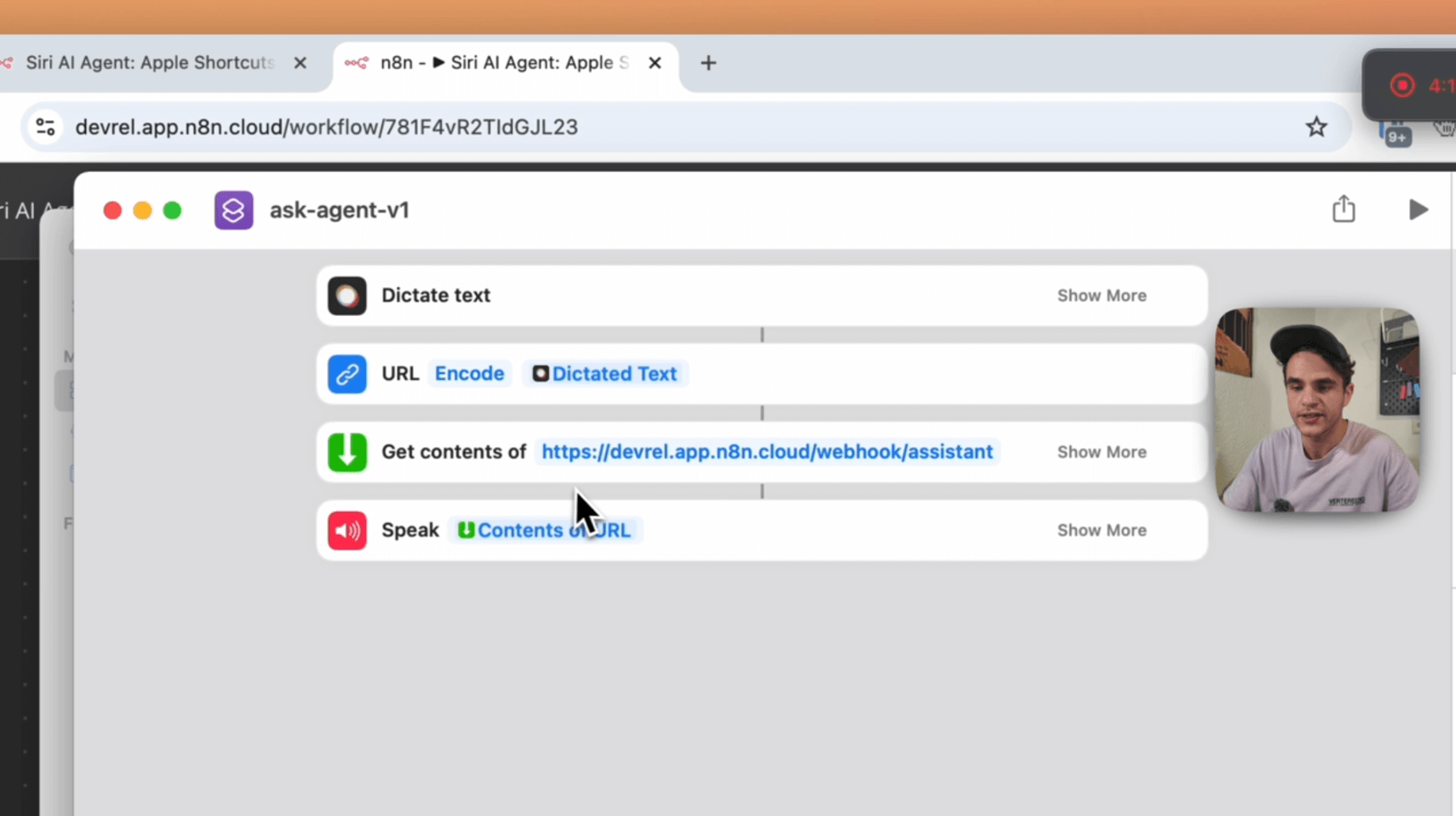](https://youtu.be/dewsB-4iGA8)\n"}, "typeVersion": 1}, {"id": "5a842fa9-be8c-4ba8-996b-a26a53273b3f", "name": "AI Agent", "type": "@n8n/n8n-nodes-langchain.agent", "position": [1240, 460], "parameters": {"text": "=Here is my request: {{ $json.body.input }}\n", "agent": "conversationalAgent", "options": {"systemMessage": "=## Task\nYou are a helpful assistant. Provide concise replies as the user receives them via voice on their mobile phone. Avoid using symbols like \"\\n\" to prevent them from being narrated.\n\n## Context\n- Today is {{ $now.format('dd LLL yy') }}.\n- Current time: {{ $now.format('h:mm a') }} in Berlin, Germany.\n- When asked, you are an AI Agent running as an n8n workflow.\n\n## Output\nKeep responses short and clear, optimized for voice delivery. Don't hallucinate, if you don't know the answer, say you don't know. "}, "promptType": "define", "hasOutputParser": true}, "typeVersion": 1.6}, {"id": "598d22d5-7472-44c5-ab2e-69c8bbb23ddd", "name": "When called by Apple Shortcut", "type": "n8n-nodes-base.webhook", "position": [980, 460], "webhookId": "f0224b4b-1644-4d3d-9f12-01a9c04879e4", "parameters": {"path": "assistant", "options": {}, "httpMethod": "POST", "responseMode": "responseNode"}, "typeVersion": 2}], "pinData": {}, "connections": {"AI Agent": {"main": [[{"node": "Respond to Apple Shortcut", "type": "main", "index": 0}]]}, "OpenAI Chat Model": {"ai_languageModel": [[{"node": "AI Agent", "type": "ai_languageModel", "index": 0}]]}, "When called by Apple Shortcut": {"main": [[{"node": "AI Agent", "type": "main", "index": 0}]]}}}How to Import This Workflow
- 1Copy the workflow JSON above using the Copy Workflow JSON button.
- 2Open your n8n instance and go to Workflows.
- 3Click Import from JSON and paste the copied workflow.
Don't have an n8n instance? Start your free trial at n8nautomation.cloud
Related Templates
KB Tool - Confluence Knowledge Base
Quickly retrieve information from your Confluence knowledge base with this n8n workflow. It connects to your Confluence instance via an HTTP Request node, allowing you to query for specific content directly from n8n. This workflow is ideal for support teams needing to rapidly access articles, developers looking up documentation, or anyone who frequently references Confluence pages and wants to integrate that data into other automated processes. By centralizing Confluence queries within n8n, you save significant time and effort previously spent manually navigating and searching, streamlining information retrieval and improving operational efficiency.
Analyze the sentiment of feedback and send a message on Mattermost
Automatically analyze customer feedback sentiment and notify your team on Mattermost with this n8n workflow. This automation connects Typeform submissions directly to Google Cloud Natural Language for sentiment analysis, then routes the results to your Mattermost channel. When a user submits a form through Typeform, the workflow extracts the feedback, sends it to Google Cloud Natural Language for sentiment scoring, and based on that score, sends a message to a designated Mattermost channel, allowing for immediate team awareness of positive, negative, or neutral feedback. This workflow is ideal for product managers, customer support teams, or marketing departments who need to quickly gauge public opinion or customer satisfaction from surveys, support tickets, or product reviews, enabling faster response times to critical feedback and reducing the manual effort of monitoring and reporting. It saves significant time and ensures that important customer insights are never missed, fostering a more responsive and customer-centric operation.
Hacker News Throwback Machine - See What Was Hot on This Day, Every Year!
Discover what was trending on Hacker News on this exact day, every year, with the Hacker News Throwback Machine. This n8n workflow automates the process of fetching historical Hacker News front pages and summarizing the top stories, delivering a daily dose of tech nostalgia directly to your Telegram chat. A Schedule Trigger initiates the workflow, which then dynamically generates a list of past years. For each year, it uses an HTTP Request node to retrieve the Hacker News front page for today's date, then an HTML Extract Details node parses the headlines and links. These headlines are then compiled and fed into a Google Gemini Chat Model via a Basic LLM Chain, which summarizes the most interesting stories. Finally, the summarized insights are sent to your designated Telegram chat, providing a unique historical perspective without any manual effort. This workflow is perfect for tech enthusiasts, developers, or anyone curious about the evolution of tech news, saving significant time and effort compared to manually searching through archives.